An ERP system is expected to bring a real estate brokerage’s operations together. It should help teams manage property enquiries, buyer and seller information, property records, offers, transactions, commissions, and financial activities through connected workflows.
But implementation does not always go as planned.
A brokerage may invest in new software and still find agents maintaining separate spreadsheets, managers chasing updates, and important information scattered across emails, messaging apps, and individual records. In some cases, the software goes live before the business has properly mapped how its teams work.
The problem is not always the technology. It is often the gap between how the brokerage operates and how the ERP system is planned, configured, and adopted.
Understanding the ERP implementation challenges that affect real estate brokerages helps businesses prepare for implementation, avoid preventable mistakes, and build a system that supports daily operations.
Why ERP Implementation Is Different for Real Estate Brokerages
A real estate brokerage does not operate through one straightforward sales process. It manages several connected activities, often involving different teams and external parties.
A single property transaction may involve:
- Capturing an enquiry from a property portal, website, referral, or campaign.
- Assigning the lead to an agent and recording follow-up activities.
- Matching the buyer's requirements with available properties.
- Maintaining accurate property details, ownership information, documents, and listing status.
- Coordinating viewings, offers, negotiations, and transaction stages.
- Managing KYC and other applicable compliance documentation.
- Calculating brokerage fees, agent commissions, and related financial records.
These activities are connected. If property information is inaccurate, agents may share outdated listings. If lead ownership is unclear, enquiries can be missed or duplicated. If commission rules are not mapped correctly, finance teams may need to reconcile transactions manually.
An ERP implementation must therefore reflect the brokerage's actual workflows not just install software and transfer existing spreadsheets into a new system.
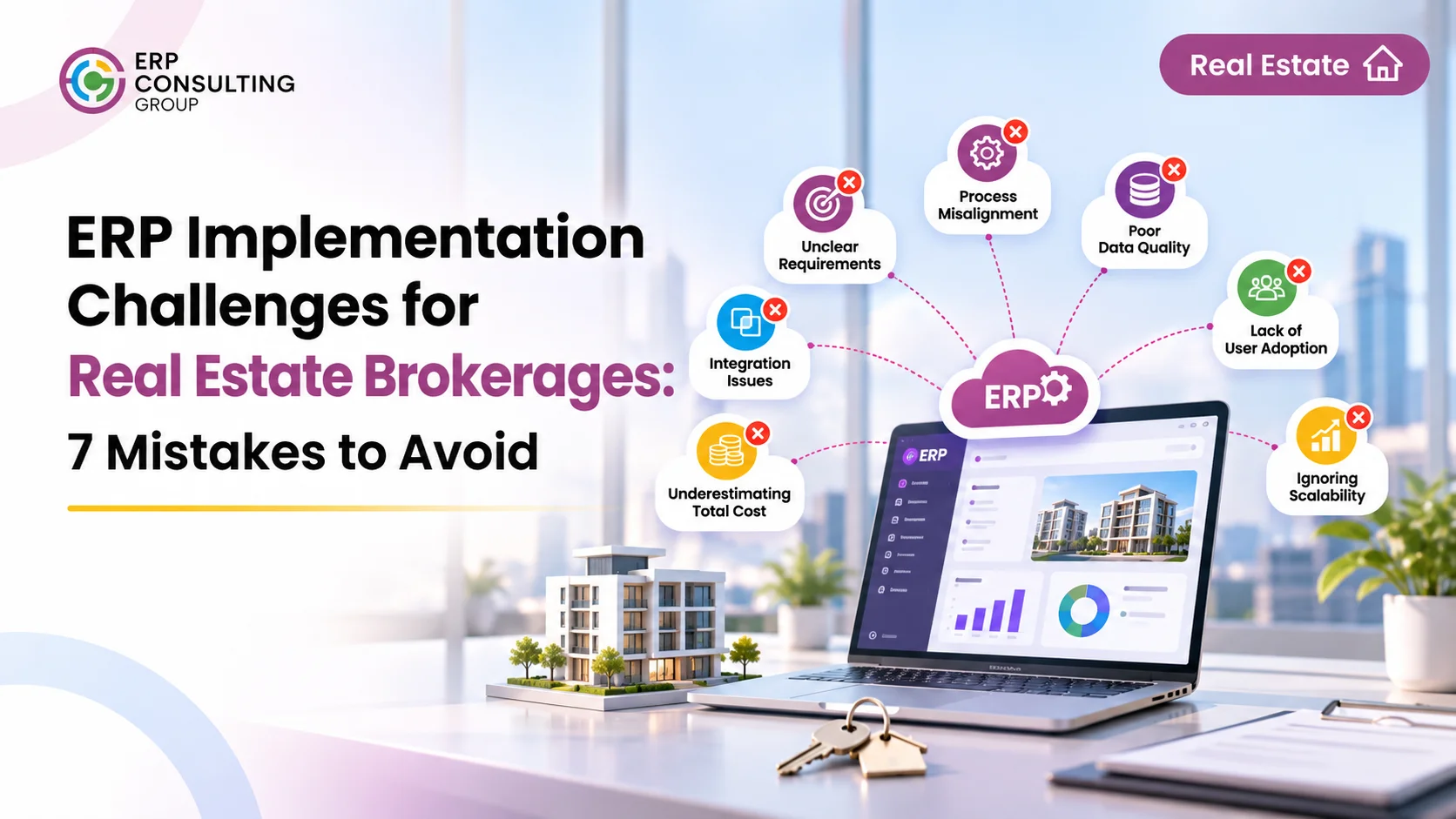
7 ERP Implementation Challenges Real Estate Brokerages Should Avoid
1. Implementing ERP Without Mapping Existing Brokerage Workflows
One of the most common implementation mistakes is starting with software configuration before understanding how the brokerage operates.
For example, a brokerage may have separate processes for property enquiries, landlord relationships, buyer requirements, property viewings, offers, deal closure, and commission calculations. If these processes are not documented, the implementation team may configure a workflow that does not match how employees actually work.
This creates confusion after go-live. Agents may not know where to update an enquiry, managers may lack visibility into pending activities, and teams may continue using spreadsheets to manage steps that the ERP was expected to control.
How to avoid it
Start with a workflow assessment. Document how information moves between departments and identify:
- How enquiries enter the business and who receives them.
- How leads are qualified, assigned, and followed up.
- How buyer requirements are matched with properties.
- How viewings, offers, negotiations, and transactions are recorded.
- How brokerage fees and agent commissions are calculated.
- Which activities require management approval or compliance checks.
The objective is to understand the complete journey from the first enquiry to the final commission.
For a closer look at how these activities connect, read our article on real estate brokerage software from lead to commission.
2. Choosing Software That Does Not Fit Brokerage Operations
Not every ERP system is designed around the way a real estate brokerage works.
A generic system may support customer records and sales orders but still require significant changes to manage property listings, buyer and seller pipelines, viewings, offers, transaction stages, and agent commissions.
When software does not fit the business, teams may create workarounds. They might maintain separate property trackers, record viewing schedules outside the system, or use manual calculations for commissions.
Over time, these workarounds reduce the value of having a connected platform.
How to avoid it
Evaluate the system against actual brokerage requirements rather than a generic feature list.
Check whether the proposed solution can support:
- Centralised buyer, seller, and property records.
- Lead capture, assignment, follow-up, and activity tracking.
- Property availability and listing lifecycle management.
- Viewing and appointment coordination.
- Offers, negotiations, and transaction stages.
- Brokerage fee and agent commission workflows.
- Compliance document tracking.
- Financial records and reporting.
Also distinguish between standard functionality, configuration, custom development, and optional add-ons. This helps set realistic expectations about what will be available at go-live.
3. Migrating Inaccurate or Duplicate Property and Client Data
Data migration is more than copying records from Excel or an older CRM into a new ERP.
Real estate brokerages often have information spread across multiple files and systems. The same buyer may appear under different names, a property may have outdated availability information, and important documents may be stored separately from the corresponding record.
If this data is migrated without review, the new ERP may reproduce the same problems.
For example, an agent may contact a buyer using an old requirement, while another agent works with a duplicate record. A property that has already been reserved may still appear available in a separate tracker.
How to avoid it
Prepare and clean the data before migration.
Data area | What to check before migration |
Buyer and seller records | Duplicate contacts, outdated details, missing information |
Property records | Availability, ownership details, specifications, and listing status |
Lead records | Source, assigned agent, current stage, and follow-up history |
Documents | Missing files, expired documents, and incorrect record associations |
Transactions | Offer status, agreed values, transaction stage, and related records |
Commission data | Applicable rules, agent allocations, and outstanding calculations |
Run a sample migration first. Ask the relevant teams to validate the imported records before moving the complete dataset.
The aim is to start with reliable information not simply move every old record into a new system.
4. Underestimating Integrations With Property Portals and Other Tools
A brokerage may receive enquiries from property portals, website forms, digital campaigns, referrals, and other channels. It may also use separate tools for communication, document management, accounting, and reporting.
If these systems are not considered during implementation planning, employees may need to enter the same information more than once.
For instance, an enquiry received through a portal may need to be copied manually into the CRM. A property status change may need to be updated separately across different platforms. This increases administrative work and creates opportunities for inconsistent information.
How to avoid it
Identify all systems that need to exchange information with the ERP.
Prepare an integration plan that specifies:
- Which systems need to connect.
- What information must move between them.
- Which system is the source of truth for each data type.
- Whether updates need to happen automatically or manually.
- What happens when an integration fails.
- Who is responsible for monitoring and resolving errors.
Confirm integration availability and scope before implementation. Some connections may require additional configuration, development, or paid add-ons, so they should not be assumed to be included by default.
5. Considering Compliance Requirements Too Late
Real estate transactions involve documentation and compliance requirements that vary by location and business activity.
Depending on the brokerage's market, teams may need to manage identity documents, KYC checks, AML-related records, document expiry dates, property permits, and transaction-related paperwork.
If these requirements are considered only after the main system has been configured, the brokerage may need to redesign workflows or introduce manual checks.
This can create delays and make it difficult for managers to understand whether required documents have been collected and reviewed.
How to avoid it
Include compliance requirements during the discovery and design stages.
Identify:
- Which documents are required for buyers, sellers, agents, and properties.
- Which checks apply at different transaction stages.
- Who is responsible for reviewing and approving documents.
- How expiry dates and missing documents should be flagged.
- Which records need restricted access.
- What reports management needs for oversight.
The exact requirements should be confirmed against the applicable local regulations and the brokerage's compliance policies. The ERP workflow should support those approved processes rather than assume that one checklist applies everywhere.
6. Overlooking Employee Training and Resistance to Change
Even a well-configured ERP can struggle if employees do not understand how to use it.
Agents may be comfortable with their existing spreadsheets, messaging apps, and personal reminders. If the new system feels complicated or adds unnecessary data-entry work, employees may avoid updating it.
This creates a gap between the information recorded in the ERP and the actual work happening across the brokerage.
Management may then find that reports are incomplete, lead statuses are outdated, and important activities are still being tracked outside the system.
How to avoid it
Involve employees before the system goes live.
- Include agents, team leaders, administrators, and finance staff in workflow discussions.
- Demonstrate how the ERP supports their daily responsibilities.
- Provide role-based training rather than one general session for everyone.
- Use realistic examples based on actual brokerage activities.
- Give employees a way to report issues and request clarification.
- Identify internal users who can support colleagues after go-live.
Training should explain not only which buttons to click, but also why each update matters to the wider business process.
For example, when an agent updates a lead's status and next action, managers gain a more reliable view of the pipeline. When a property record is updated, other agents are less likely to work with outdated availability information.
7. Rushing Testing, Go-Live, and Post-Implementation Support
A system may appear ready during a demonstration but behave differently when employees begin using it with real business data and daily workloads.
If testing is limited, issues may surface after launch. A lead may not move to the expected stage, a property status may not update correctly, an approval may be missing, or a commission calculation may not follow the agreed business rule.
Without a clear support process, these problems can affect employee confidence and disrupt operations.
How to avoid it
Test complete business scenarios before go-live.
For example, test the full journey:
Enquiry Received → Lead Assigned → Property Matched → Viewing Scheduled → Offer Submitted → Deal Closed → Commission Recorded
Check whether:
- The right employee receives the enquiry.
- Lead activities and follow-ups are recorded correctly.
- Property information is available to authorised users.
- Viewing and offer stages work as expected.
- Required documents and approvals are tracked.
- Commission calculations follow the agreed rules.
- Reports reflect the underlying records accurately.
Conduct user acceptance testing with employees who will use the system every day. Plan for issue resolution, user support, and workflow adjustments after launch.
Go-live should be treated as the beginning of adoption not the end of implementation.
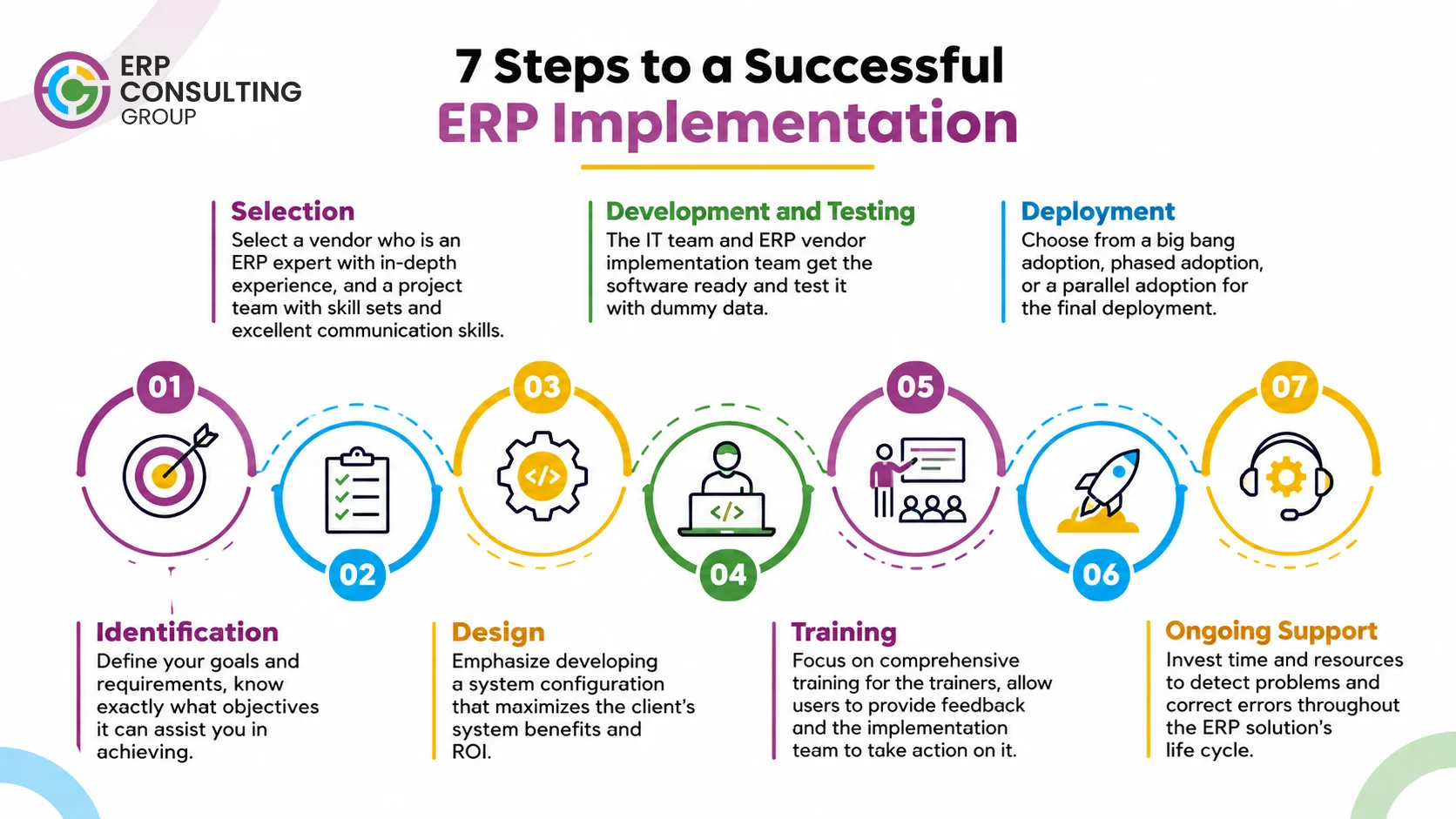
A Practical 7-Step ERP Implementation Roadmap for Real Estate Brokerages
Avoiding implementation mistakes requires a structured process. The following roadmap helps a brokerage move from initial assessment to a working ERP environment.
Step | Implementation activity | Expected outcome |
1. Discovery | Review current operations, teams, systems, and business goals | Clear understanding of existing processes |
2. Requirement mapping | Document lead, property, viewing, offer, transaction, compliance, and commission workflows | Agreed functional requirements |
3. Data preparation | Identify duplicates, correct records, organise documents, and map data fields | Cleaner migration data |
4. Solution design | Define system configuration, user roles, approvals, and reporting requirements | A solution aligned with brokerage operations |
5. Integration planning | Identify portal, website, accounting, and other required connections | Defined integration scope and responsibilities |
6. Testing and training | Test real scenarios and prepare employees for their roles | Validated workflows and trained users |
7. Go-live and improvement | Launch in a controlled way, monitor issues, and refine processes | More stable adoption and ongoing improvement |
The timeline for each step depends on the brokerage's size, data quality, number of users, integration requirements, customisations, and workflow complexity. A fixed implementation duration should not be assumed before these factors are assessed.
What Should a Real Estate Brokerage Check Before ERP Go-Live?
Before launching the system, management should confirm that the main business workflows have been tested and that employees know how to use them.
Readiness area | Questions to ask |
Lead management | Are enquiries captured, assigned, and followed up through the agreed process? |
Property management | Are property details, availability, and listing statuses accurate? |
Buyer and seller records | Have duplicate and outdated records been reviewed? |
Viewings and offers | Can teams track appointments, offers, and negotiation progress? |
Compliance | Are required documents, checks, and responsibilities defined? |
Commissions | Have brokerage and agent commission rules been tested? |
Integrations | Have required connections been tested, including error handling? |
Reporting | Do dashboards and reports show reliable operational information? |
User adoption | Have employees completed role-based training? |
Support | Is there a clear process for reporting and resolving post-launch issues? |
A brokerage should not consider implementation complete simply because users can log in. The system must support the processes employees are expected to follow.
How ERP Consulting Group Supports Real Estate Brokerage Operations
ERP Consulting Group's Real Estate Broker Solution is built around connecting brokerage activities from the first enquiry through property management, deal progress, and commission-related workflows using Odoo.
The solution is positioned to help brokerages bring important operational information into a connected environment, including:
- Lead management: Centralise enquiries from supported sources, record lead details, manage assignment, and track follow-up activities.
- Property records: Maintain central property information, specifications, documents, and lifecycle status.
- Viewing coordination: Use shared scheduling and activity tracking to improve visibility into appointments.
- Compliance tracking: Organise KYC and AML-related documentation and track relevant information according to the configured workflow.
- Offers and transactions: Keep deal stages and related commercial information connected to the relevant records.
- Commission and finance workflows: Support brokerage and agent commission processes, with invoicing through the applicable Odoo Accounting setup.
The implementation approach should begin with understanding the brokerage's existing processes. This includes reviewing spreadsheets and older CRM data, mapping workflows, agreeing on required stages and documents, configuring the system, testing, and training employees.
Some capabilities such as particular portal feeds, messaging integrations, website forms, reminders, or accounting-related functionality may depend on the selected configuration or optional add-ons. These should be confirmed during requirement mapping.
You can explore the Real Estate Broker Solution to understand how the system is structured around brokerage workflows.
For more context on the wider operational requirements of the sector, visit our Real Estate Industry page.
Executive Summary
- Map workflows before configuring software: Understand how enquiries, properties, viewings, offers, transactions, compliance, and commissions connect.
- Prepare people and data: Clean existing records, plan integrations, involve employees, and provide role-based training.
- Test the complete business process: Validate real brokerage scenarios before go-live and provide support after launch.
Successful ERP implementation is not just about introducing a new platform. It is about making sure the system reflects how the brokerage works and helps employees manage connected activities with better visibility.
Frequently Asked Questions
1. What are the most common ERP implementation challenges?
Common ERP implementation challenges include unclear business requirements, poor workflow mapping, inaccurate data migration, integration difficulties, employee resistance, insufficient testing, and inadequate post-launch support. For a real estate brokerage, these issues can affect lead management, property records, viewings, transactions, compliance, and commission workflows.
2. What are the most common reasons for ERP implementation failure?
ERP implementation can fail when the system does not match business processes, requirements are incomplete, data is migrated without proper checks, employees are not trained, or management does not provide sufficient support. Rushing implementation and underestimating integration requirements can also create problems.
3. What are two common challenges of implementing an ERP solution?
Two common challenges are data migration and employee adoption. Existing records may contain duplicates or outdated information, while employees may resist changing familiar processes. Both require preparation, communication, testing, and training.
4. What are the seven steps for successful ERP implementation?
A practical implementation process includes discovery, requirement mapping, data preparation, solution design, integration planning, testing and training, and go-live with ongoing improvement. The exact activities and timeline depend on the organisation's requirements.
5. How long does ERP implementation take for a real estate brokerage?
There is no single timeline for every brokerage. Implementation depends on the number of users, business locations, existing data, required integrations, custom workflows, and the level of configuration or development involved. A realistic schedule should be prepared after the discovery and requirement-mapping stages.
6. How should a real estate brokerage prepare its data before ERP migration?
The brokerage should identify the systems and spreadsheets containing its data, remove duplicate and outdated records, standardise important fields, verify property availability and contact details, organise documents, and map the information to the new system. A sample migration should be tested and validated before the full transfer.
Planning an ERP Implementation for Your Real Estate Brokerage?
Before selecting or implementing an ERP system, understand where your current processes are creating delays, duplicate work, or gaps in operational visibility. ERP Consulting Group can help assess your brokerage workflows and explore how an Odoo-based Broker Solution can support connected lead, property, transaction, and commission processes. Start with your business requirements not a generic software setup. Explore the Real Estate Broker Solution or contact us at info@erpconsulting24.com to discuss your requirements. |
 Recent Posts




 Free Consultation