
A practical, no-fluff guide to what ERP actually does on the factory floor - the features that matter, the benefits that show up in the numbers, and the mistakes that quietly sink implementations.
Running a manufacturing operation without a connected system means every team works from a different version of reality. This guide breaks down what ERP for manufacturing actually does, which features move the needle, what real benefits look like in practice, and how to avoid the implementation mistakes that cost manufacturers time and money.
What Is ERP for Manufacturing?
ERP (Enterprise Resource Planning) is a platform that connects every part of your operation: production, inventory, procurement, quality, and finance, all in one shared system.
Most manufacturers do not have a data problem. They have a disconnected data problem. Spreadsheets, legacy software, and paper travelers all carry fragments of the same information, and nobody sees the complete picture in time to act on it.
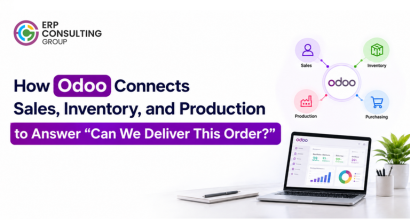
ERP systems replace that fragmented setup with a single source of truth. A confirmed sales order checks inventory automatically. If stock is short, a purchase order is drafted. When materials arrive, production is triggered. When the batch is complete, accounting updates. Nobody is manually carrying information between systems anymore. This kind of connected shift is part of a much bigger pattern across the industry - see how digital transformation is reshaping manufacturing for the broader picture beyond ERP alone.
Core Features That Actually Matter

There are dozens of features in any manufacturing ERP. These are the ones that genuinely change how a factory runs day to day.
1. Material Requirements Planning (MRP)
MRP takes your confirmed orders, checks them against current stock and supplier lead times, and automatically generates purchase and production orders to meet delivery commitments. Without it, this calculation happens manually, usually in a spreadsheet, usually too slowly to prevent delays.
2. Bill of Materials (BoM) Management
Your BoM is the recipe for everything you make. Manufacturing ERP keeps it as a live, version-controlled document directly connected to production and procurement. When engineering makes a change, it flows through automatically with no risk of the floor working from an outdated revision.
3. Shop Floor Control
Production orders carry instructions directly to operators via tablets or screens at each workstation. Operators log time, record material use, and flag quality issues in real time. Production managers see the status of every work order on one screen instead of walking the floor or waiting for end-of-shift reports.
4. Quality Management
Quality checks happen at defined points: goods receipt, in-process inspection, final dispatch. Failures trigger automatic holds and alerts. All results are recorded and searchable, so recurring issues surface in reports rather than staying buried in paperwork.
5. Costing and Financial Integration
ERP calculates the real cost of every production order covering materials, labor, machine time, and scrap, and posts it directly to accounting. For manufacturers on tight margins, knowing the actual cost per job in real time is not a nice-to-have. It is essential. If you're already leaning toward Odoo specifically, it's worth a look at what's new in Odoo 19 for Manufacturing - several of these exact workflows (costing, MRP, quality) were updated in the latest release.
What the Benefits Actually Look Like
Most ERP benefit lists say "improved efficiency" and "better visibility." Here is what those actually mean in practice.
● You stop fighting fires. Material shortages, machine faults, and quality issues surface as early warnings rather than crises. The production manager who spent half the day chasing information by phone now has it on a screen.
● Your delivery promises become commitments. When you can see real capacity, real stock levels, and real supplier lead times in one view, quoted lead times stop being guesses.
● You find out what things actually cost. Many manufacturers discover after implementing ERP that margins on certain products are very different from what they assumed. Some products are more profitable than expected. Others turn out to be quiet loss-makers hidden by averaging.
● Traceability takes minutes, not days. When a customer raises a quality complaint, every component, operator, and inspection result linked to that batch is one search away.

One of our clients, a handloom textile manufacturer managing multiple warehouses and complex inventory operations, came to us struggling with exactly these challenges. Their team was manually tracking raw materials and finished goods across locations, which led to constant delays, stock imbalances, and decisions made on outdated information. We implemented a tailored Odoo Inventory Management solution that centralized their stock tracking, introduced automated reorder points, and connected barcode scanning for faster audits. Custom dashboards gave their team real-time visibility across every warehouse location. The results were tangible: manual workload dropped by over 40%, stock discrepancies fell to near zero, and order processing became faster and more reliable. Their team went from spending time chasing stock information to actually acting on it. That kind of shift is what a well-implemented ERP does. It does not just organize your data - it gives your people the right information at the right time, so they can make better decisions faster. Read the full case study: How ERP Consulting Group Streamlined Inventory Management for a Textile and Handloom Manufacturer → |
The Implementation Mistakes Worth Avoiding

● Going live all at once. This is the highest-risk approach. When something goes wrong, and something always does, you have no fallback. Start with inventory and procurement, then bring production live, then layer in quality and maintenance.
● Skipping data preparation. This is the most common reason ERP underperforms. If your Bills of Materials have errors your current system has quietly tolerated, those errors will cause real problems the moment MRP starts generating orders. Clean your BoMs and reconcile your inventory before going live.
● Customizing too early. This costs more than it saves. Most of what feels unique about your processes is well within what standard ERP handles. Customize where you have a genuine competitive edge. Standardize everywhere else.
● Treating go-live as the finish line. This means leaving most of the value on the table. The first months after going live are when planning parameters get tuned and reporting data starts revealing trends worth acting on. The manufacturers who get the most from ERP are the ones who stay engaged after the switch.
Data preparation is where most manufacturing implementations quietly go wrong, and it matters even more if you're moving off an existing system rather than starting fresh. Our detailed guide,Odoo Migration for Manufacturing Companies: Challenges, Risks, and How to Get It Right, walks through exactly what to check before you migrate and how to avoid the risks that turn a routine switch into a costly one. |
Frequently Asked Questions
How much time does it take to implement a manufacturing ERP?
For a setup covering MRP, inventory, and procurement, three to four months is realistic. Add quality and maintenance modules and you are looking at five to six. The biggest variable is not the software; it is how clean your data is going in.
Do we have to change our processes to fit the ERP?
Some adaptation is almost always part of it, and that is not necessarily a bad thing. Where your current process reflects a genuine competitive advantage, protect it with customization. Where it is just an old habit, adapting to the standard is usually the better call.
What happens to data from our old system?
Decide early what genuinely needs to migrate: open orders, current stock, live BoMs, supplier records, and what can simply be archived. Clean the data before migration, and keep the old system accessible for a period after going live in case historical reference is needed.
 Recent Posts

 Free Consultation