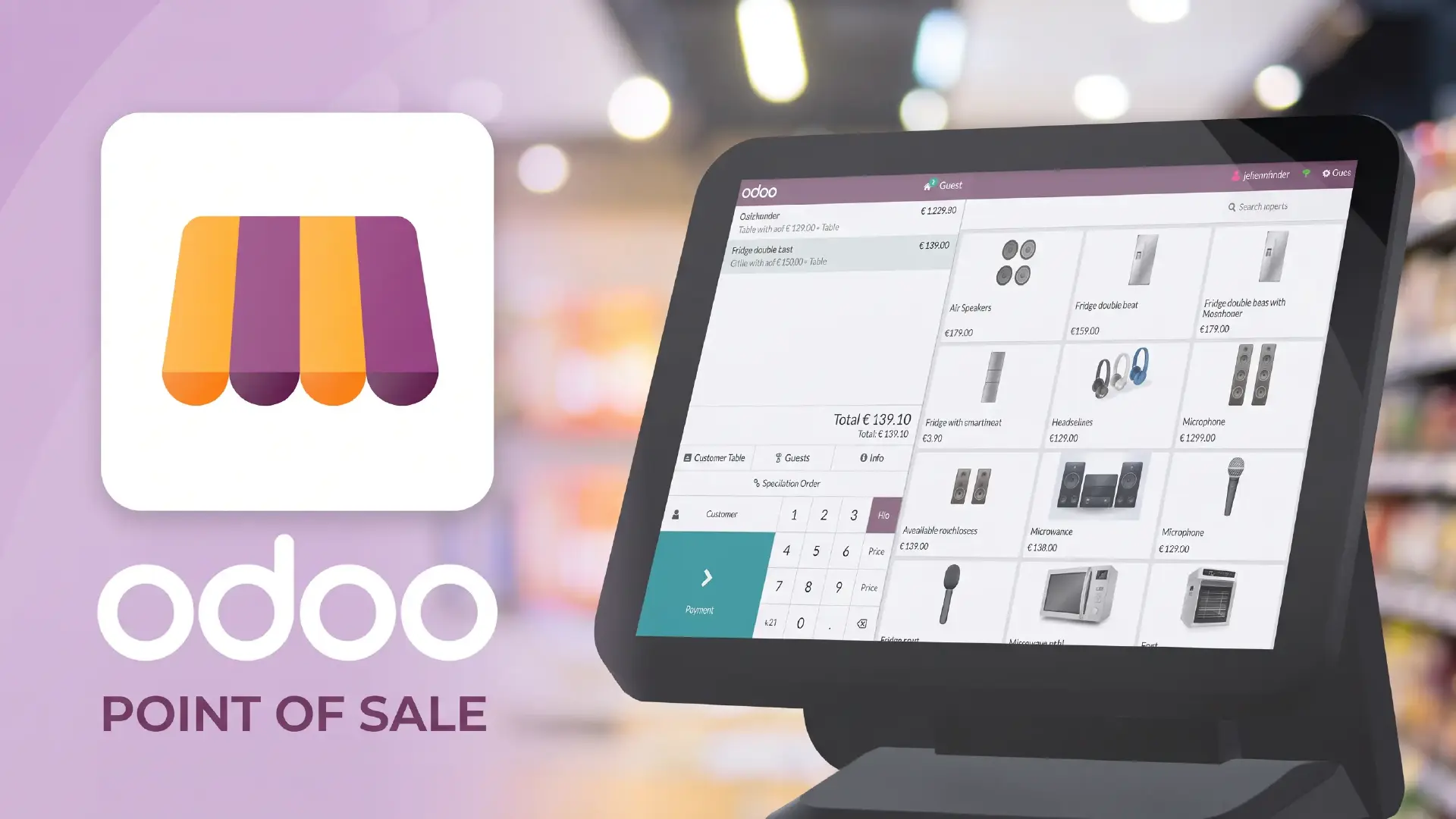
Running a retail business involves more than processing sales. Retailers must keep inventory accurate, manage customer relationships, coordinate store operations, track payments, and respond to changing demand. When these activities are handled through disconnected applications or spreadsheets, even routine transactions can create additional work.
Odoo for retail brings key business functions together through an integrated suite of applications. Depending on the configuration, retailers can connect point-of-sale transactions, inventory movements, customer information, eCommerce orders, and accounting processes within one system.
But which Odoo features are useful for retail businesses, and when does an integrated retail ERP make sense? Understanding the available capabilities can help you evaluate whether Odoo fits your stores, sales channels, and operational requirements.
Why Choose Odoo for Retail?
Retail businesses need visibility across their daily operations. A sale affects stock levels, revenue, payment records, and sometimes customer loyalty or replenishment decisions. Managing these activities separately makes it harder to maintain consistent information.
Odoo provides a modular approach, allowing businesses to select and configure applications according to their requirements.
Key benefits include:
- Connected operations: Link sales, inventory, customer records, and financial workflows instead of repeatedly entering the same information.
- Centralized stock visibility: Track stock movements across configured warehouses and retail locations.
- Flexible functionality: Start with the applications the business needs and expand as requirements change.
- Improved reporting: Use operational data to review sales, stock movements, and business performance.
- Integration opportunities: Connect eCommerce platforms, payment services, and other systems where supported by the relevant integration.
The actual benefits depend on the Odoo version, selected applications, integrations, and implementation design.
Key Odoo Retail Features
1. Point of Sale (POS)
The point-of-sale system is central to many retail operations. It supports checkout activities and connects transactions with other configured business processes.
Odoo POS can support functions such as:
- Processing customer purchases and generating receipts.
- Handling supported payment methods.
- Applying configured discounts and promotions.
- Recording customer details and purchase information where required.
- Connecting sales with inventory and accounting workflows.
For example, when a customer purchases a product in a store, the transaction can update the relevant stock records and contribute to sales reporting. This reduces the need to reconcile every transaction manually across separate systems.
Retailers should also evaluate hardware compatibility, payment-provider support, offline requirements, and the checkout process before implementation.
2. Inventory and Stock Management
Stock accuracy affects sales, customer satisfaction, purchasing, and cash flow. If the inventory system does not reflect actual stock, a retailer may accept an order for an unavailable product or reorder items that are already in storage.
Odoo Inventory supports stock tracking and movement management across configured locations. Depending on the setup, retailers can use:
- Barcode scanning for receiving, picking, and stock counts.
- Multiple warehouse and storage-location management.
- Reordering rules to help replenish stock.
- Inventory movement history and stock reports.
- Lot or serial number tracking where relevant to the products and workflow.
Consider a retailer operating three stores. A product may be available in one location but out of stock in another. Centralized inventory records help the team review availability before arranging a transfer or replenishment.
For more detail, read our guide toOdoo Inventory features, benefits, and integrations.
3. Customer Relationship Management (CRM)
Retailers need a consistent way to manage customer information, enquiries, and follow-up activities, particularly when they also handle bulk orders, corporate accounts, or repeat business.
Odoo CRM helps businesses organize leads, track opportunities, schedule activities, and monitor sales progress. Customer records can also be connected with other configured applications to give teams better context when handling enquiries.
Retail businesses can use these capabilities to:
- Track enquiries and sales opportunities.
- Record customer interactions and follow-up activities.
- Monitor the progress of business or wholesale orders.
- Coordinate customer information across relevant workflows.
CRM is especially useful for retailers with dedicated sales teams or B2B operations. For a walk-in customer making a simple purchase, POS and customer-management functionality may be more relevant than a full sales pipeline.
4. eCommerce and Omnichannel Retail
Many retailers sell through a combination of physical stores, online shops, marketplaces, and other channels. Managing these channels separately can lead to inconsistent stock information, duplicated order entry, and fragmented customer records.
Odoo eCommerce can connect online selling with other Odoo applications. External platforms can also be connected through suitable integrations, depending on the retailer's existing technology and requirements.
A connected setup can help businesses coordinate:
- Online orders and order processing.
- Product and pricing information.
- Inventory availability across configured channels.
- Customer records and order history.
- Invoicing and payment workflows.
For example, if a retailer receives orders through a physical store and an online shop, the integration design should help the team maintain consistent stock records and process each order through the appropriate workflow.
The extent of synchronization depends on the platform, connector, and configuration. Review the supported data fields and synchronization rules before selecting an integration.
Learn more about Odoo Shopify Connector and its benefits for growing businesses and Odoo omnichannel management.
5. Accounting and Financial Management
Retail transactions generate financial information that must be recorded accurately. When sales, payment records, invoices, and expenses are maintained in separate systems, finance teams may spend additional time reconciling information.
Odoo Accounting can connect with configured sales and purchasing workflows to support financial visibility.
Depending on the business setup, relevant capabilities include:
- Customer invoicing and vendor bills.
- Payment tracking and reconciliation.
- Tax configuration and financial reporting.
- Multi-currency transactions where required.
- Financial reports for reviewing business performance.
For instance, connecting POS transactions with accounting can reduce duplicate data entry and make sales information easier to reconcile. The exact workflow depends on the payment methods, accounting configuration, and applicable financial requirements.
Retailers should verify local tax rules, reporting requirements, and localization support before implementation. Read our guide to Odoo Accounting features for more information.
6. Employee and Store Operations
Retail operations depend on staff availability, task coordination, and consistent processes across locations. Odoo's employee-related applications can support workforce administration, while other applications may help manage attendance, time off, and related activities.
Depending on the selected applications and configuration, retailers can use these tools to:
- Maintain employee information.
- Record attendance and time-off requests.
- Coordinate internal activities.
- Support workforce administration and reporting.
Scheduling, payroll, and other HR requirements may need specific applications, localization, or additional configuration. Retailers should identify these requirements before assuming they are covered by a standard setup.
7. Marketing and Customer Engagement
Customer engagement does not end when a transaction is completed. Retailers may want to communicate with customers about new products, relevant offers, or follow-up activities.
Odoo's marketing applications can support campaign workflows, depending on the channels and applications selected.
Possible uses include:
- Organizing email marketing campaigns.
- Segmenting audiences using available customer information.
- Automating selected communications.
- Reviewing campaign performance through available reports.
Retailers should confirm which communication channels, consent requirements, and integrations apply to their intended campaigns.
How Odoo Connects Retail Operations
The value of Odoo retail management comes from connecting processes rather than using each application in isolation.
Retail activity | Relevant Odoo application | Operational benefit |
In-store checkout | Point of Sale | Records transactions and supports the checkout workflow |
Stock tracking | Inventory | Improves visibility into stock movements and availability |
Sales enquiries | CRM | Organizes opportunities and follow-up activities |
Online orders | eCommerce and integrations | Connects online selling with configured business processes |
Financial records | Accounting | Supports invoicing, reconciliation, and financial reporting |
Customer campaigns | Marketing applications | Helps coordinate customer communications |
These connections must be configured correctly. For example, connecting an online store to inventory requires decisions about stock availability, order synchronization, returns, and which system controls specific product or customer records.
A successful retail ERP setup starts by mapping these workflows before configuring the software.
Is Odoo the Right Fit for Your Retail Business?
Odoo can be a suitable option for retailers that want to connect sales, inventory, accounting, and customer operations. However, the right fit depends on business complexity, existing systems, reporting needs, and the level of customization required.
Odoo may be worth evaluating if your business:
- Operates multiple stores or warehouses.
- Manages both in-store and online sales.
- Needs better visibility into stock and sales performance.
- Uses separate applications for key operational processes.
- Wants to connect retail activities with finance and customer management.
Before implementation, assess:
- Whether your POS hardware and payment providers are supported.
- How product, stock, customer, and order data will be synchronized.
- Whether existing eCommerce or accounting systems require integration.
- Which tax, reporting, and localization requirements apply.
- What training, migration, support, and customization will be needed.
A small retailer with straightforward checkout requirements may need a relatively simple setup. A multi-location business with online sales, complex inventory, and additional reporting needs may require more detailed process design.
The goal is not to enable every available application. It is to select the capabilities that solve actual operational problems.
Frequently Asked Questions About Odoo for Retail
1. What is Odoo for retail?
Odoo for retail refers to using Odoo applications to manage retail activities such as point-of-sale transactions, inventory, customer information, eCommerce, and accounting. The applications can be configured to connect relevant workflows based on the retailer's needs.
2. Is Odoo suitable for small retail businesses?
Odoo can suit small retailers that need functions such as POS, stock tracking, and accounting. Suitability depends on the required features, implementation cost, integrations, and the complexity of the business.
3. Can Odoo manage retail inventory across multiple stores?
Odoo Inventory supports multiple warehouses and locations when configured appropriately. Retailers can use it to track stock movements and improve visibility across locations, subject to their inventory setup and operating processes.
4. Can Odoo connect an online store with a physical retail store?
Odoo can connect its own eCommerce functionality with relevant business applications. External online stores may require a supported connector or custom integration. The available synchronization features depend on the platform and implementation.
5. What should retailers consider before implementing Odoo?
Retailers should review POS and payment compatibility, inventory workflows, existing integrations, data migration, tax requirements, reporting, user training, and ongoing support. Mapping the current process before implementation helps identify the right applications and avoid unnecessary customization. g
Conclusion: Build a Connected Retail Operation with Odoo
Retail businesses need accurate stock information, efficient checkout processes, reliable financial records, and consistent customer information. When these functions operate in disconnected systems, teams may spend more time reconciling data and resolving avoidable errors. Odoo for retail offers a modular approach to connecting these activities. With the right application selection, integrations, and workflow configuration, retailers can improve operational visibility and establish processes that support future growth. At ERP Consulting Group, we help businesses evaluate Odoo against their operational requirements and plan implementations around their workflows. If you are considering Odoo for your retail business, contact us at info@erpconsulting24.com to discuss your requirements and identify the right approach for your operations. |
 Recent Posts



 Free Consultation