Is Your Odoo Version Putting Your Business at Risk of Higher Costs?
Every month you delay planning your Odoo upgrade could leave your business with less time to prepare for a deadline and a higher subscription cost if your database remains on an unsupported version.
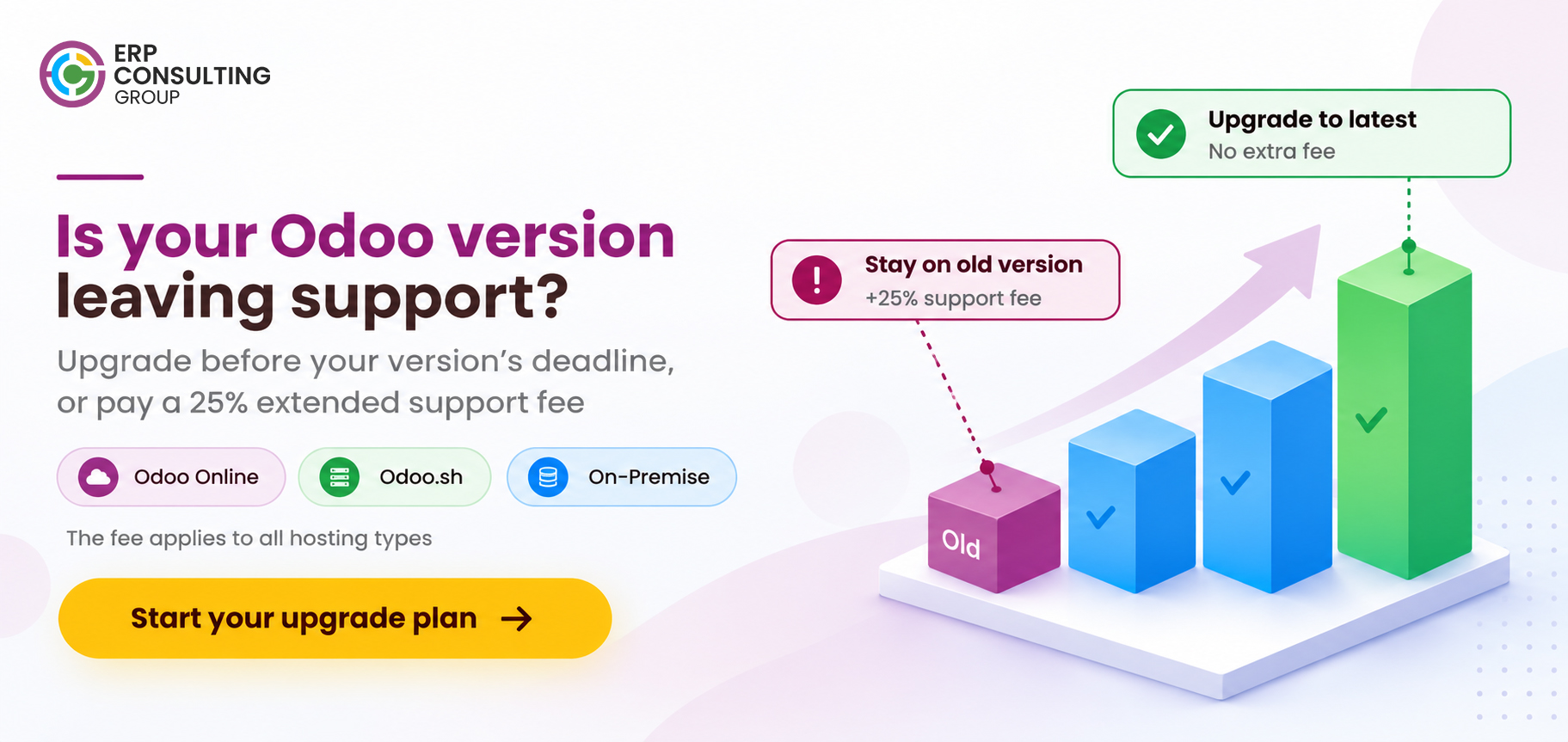
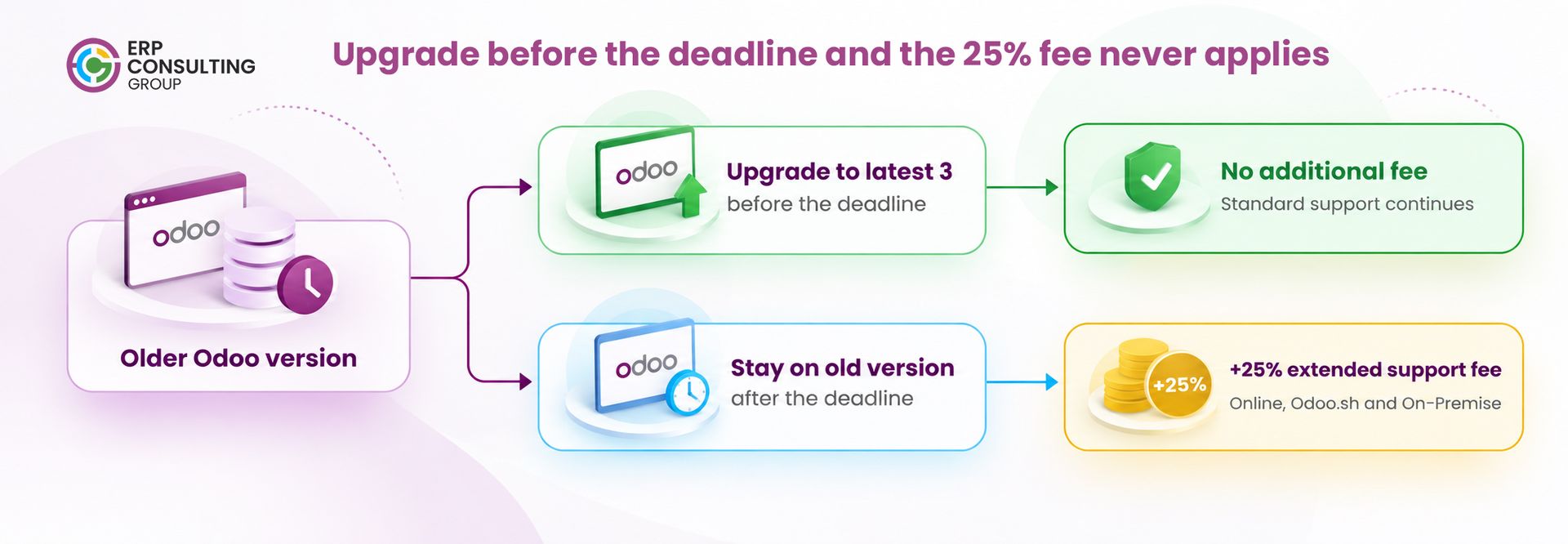
Odoo supports only its latest three major versions. As new versions are released, older versions eventually fall outside the standard support window. Businesses that continue running an unsupported version beyond the deadline specified in Odoo’s notice may face a mandatory 25% Older Version Extended Support Fee.
For a business already investing in ERP software, this is more than a technical update. It is a decision that affects subscription costs, IT planning, business continuity, and the time your team has to prepare for change.
The important point is that this additional fee may be avoidable. Upgrading to a supported version before the applicable deadline can help your business avoid the extra charge while preparing your systems for the future.
If your Odoo database is approaching its support deadline, waiting until the final weeks to assess your upgrade options could be an expensive mistake.
What Has Odoo Announced About Older Versions?
Odoo’s version support policy is designed to encourage businesses to stay on current releases. Odoo supports its latest three major versions, meaning that when a new major version is introduced, the oldest version in the supported range eventually loses standard support.
Customers still running an affected version may receive a notice from Odoo outlining the applicable deadline and the consequences of remaining on that version.
According to the customer notice described for this blog, the key details are:
- Fee: A 25% Older Version Extended Support Fee.
- Start date: The deadline specified in Odoo’s notice to affected customers.
- Applicability: Odoo Online, Odoo.sh, and On-Premise deployments, as stated in the notice.
- Trigger: The database remains on an unsupported version after the applicable deadline.
- Purpose: Continued use of the older version with the applicable extended support.
- Avoiding the fee: Upgrade to a supported version before the deadline, subject to the terms in Odoo’s notice.
This distinction matters. The fee is not simply a general subscription price increase. It is associated with continuing to use an older version after the specified deadline.
A business that completes its upgrade in time may avoid this additional expense. A business that delays could face a higher recurring cost while still operating on an older version.
Before making a decision, check the exact deadline, fee calculation, and eligibility conditions in your Odoo customer notice or confirm them with Odoo or your implementation partner.
The Financial Impact: What Could a 25% Fee Cost Your Business?
A 25% increase may appear manageable when viewed as a percentage. However, when applied to an annual subscription, it can represent a substantial additional expense particularly for businesses with larger user bases, multiple departments, or complex ERP requirements.
Consider a business with an annual Odoo subscription of ₹5,00,000. If the fee is calculated on the full subscription value, the additional charge would be ₹1,25,000 per year.
That is ₹1,25,000 spent on remaining on an older version rather than on improving operations, supporting business growth, or preparing for future requirements.
Calculate the potential impact
The following examples illustrate how a 25% fee could affect different annual subscription values.
Current annual subscription | Illustrative extra fee per year | Annual cost with fee | Two-year cost with fee |
₹1,00,000 | ₹25,000 | ₹1,25,000 | ₹2,50,000 |
₹3,00,000 | ₹75,000 | ₹3,75,000 | ₹7,50,000 |
₹5,00,000 | ₹1,25,000 | ₹6,25,000 | ₹12,50,000 |
₹10,00,000 | ₹2,50,000 | ₹12,50,000 | ₹25,00,000 |
Illustrative figures assume the 25% fee applies to the full annual subscription value and remains applicable throughout the period shown. They are not official Odoo quotations. Confirm the actual calculation basis, billing period, and applicable terms with Odoo or your partner.
These figures show why an upgrade decision should not be postponed simply because the current system continues to function.
The business must consider both sides of the decision: the cost of upgrading and the potential recurring cost of remaining on an unsupported version. An early assessment gives management time to understand those costs and plan the transition instead of making a rushed decision close to the deadline.
The hidden cost of waiting
The subscription fee is only one part of the financial picture. Delaying an upgrade can also create indirect costs:
- Compressed project timelines: Your implementation team may have less time to resolve compatibility issues and test business-critical workflows.
- Unexpected customisation expenses: Older modules and reports may require more work than initially anticipated.
- Operational disruption: Insufficient testing can increase the risk of problems after the new version goes live.
- Competing business priorities: An urgent upgrade may force your internal team to divert time from ongoing projects, reporting, and daily operations.
- Reduced flexibility: A late start can leave fewer opportunities to schedule the upgrade around your financial year-end, peak sales periods, or production commitments.
The earlier you assess your database, the more control you retain over the scope, budget, and timing of the upgrade.
Who Is Affected by the Older Version Support Fee?
Any business that continues using an affected Odoo version after the applicable deadline may be impacted, subject to the terms of Odoo’s notice.
The hosting method does not necessarily remove the issue. Businesses using Odoo Online, Odoo.sh, or On-Premise deployments should verify their version status and the conditions that apply to their database.
Odoo Online
Businesses using Odoo Online should check which major version their database is running and whether they have received a support-related notice. Even when the hosting infrastructure is managed by Odoo, the business still needs to prepare for version-related changes and validate its workflows.
Odoo.sh
Businesses using Odoo.sh may have custom modules, development branches, staging environments, and third-party integrations that need to be reviewed before an upgrade. The existence of a managed hosting environment does not automatically mean that every customisation will work without modification.
On-Premise deployments
Businesses hosting Odoo on their own infrastructure should not assume that self-hosting removes the fee. If the notice applies to their database, the relevant version and deadline still need to be checked.
For these businesses, upgrade planning may also involve infrastructure compatibility, backups, testing environments, deployment procedures, and internal IT coordination.
Your first step should be to identify your current Odoo version and confirm whether your database is affected. Do not wait for a billing change to discover that your upgrade needs more preparation than expected.
Odoo's Pricing Structure: What Businesses Should Understand
Alongside the older-version support fee, it is useful to understand how Odoo’s subscription plans are structured. The right plan depends on the applications your business uses, its hosting requirements, and the functionality it needs.
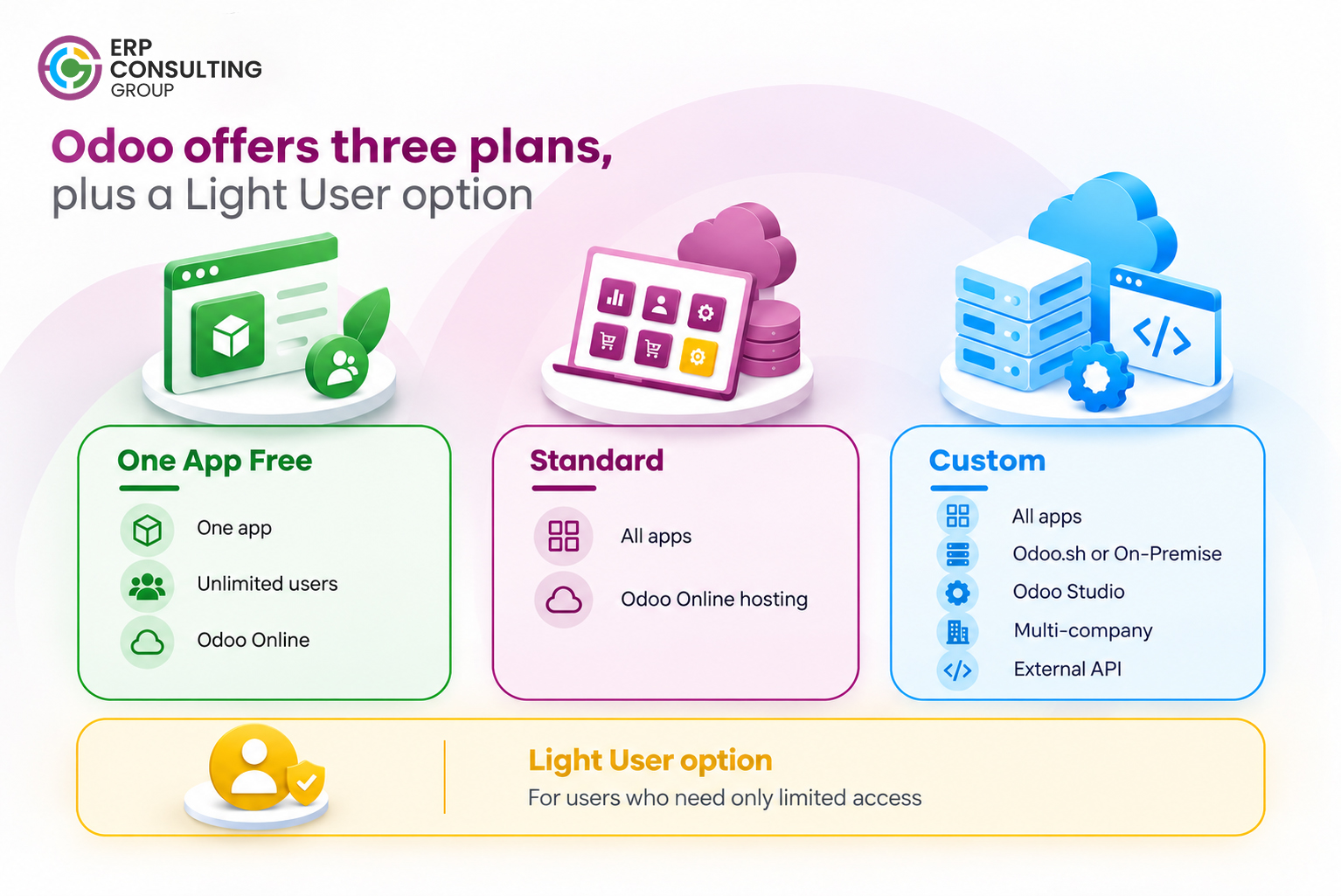
Odoo generally offers the following plans:
- One App Free: Access to one application with unlimited users on Odoo Online, subject to the plan’s terms.
- Standard: Access to Odoo’s applications on Odoo Online.
- Custom: Access to all applications with additional capabilities, including options for Odoo.sh or On-Premise hosting, Odoo Studio, multi-company functionality, and external API access, subject to the plan’s conditions.
Odoo also offers a Light User option for eligible users who need limited access rather than the full functionality available to standard internal users.
For businesses with many occasional users, reviewing user access and subscription requirements may help identify opportunities to manage costs more efficiently. However, changing plans is not a substitute for confirming the support status of your database.
Prices and plan conditions can vary by country, currency, billing arrangement, and the terms applicable to your subscription. Review Odoo’s official pricing information for your region before making a budget decision.
The key takeaway is that businesses should evaluate their subscription, hosting, and version status together not treat the support deadline as an isolated technical issue.
Why an Odoo Upgrade Requires More Than a Version Change
One of the biggest mistakes businesses can make is assuming that upgrading Odoo is simply a matter of moving the database to a newer release.
Standard data migration is only one part of the process. Existing customisations, integrations, reports, automated actions, and business workflows may need additional work before the upgraded system is ready for daily use.
The more heavily your Odoo environment has been customised, the more important it becomes to start early.
1. Custom modules may need to be adapted
Many businesses rely on custom modules to manage approval processes, industry-specific requirements, specialised reports, or workflows that are not covered by standard functionality.
When the underlying Odoo framework changes, custom code may no longer work as expected. Developers may need to review models, fields, dependencies, views, and other components before the module can operate correctly on the target version.
This is also an opportunity to review whether every custom module is still necessary. Some requirements may now be covered by standard Odoo features, reducing the amount of code that needs to be maintained.
2. Reports and dashboards need validation
Management reports, QWeb reports, custom views, and dashboards often support important decisions across finance, sales, inventory, and operations.
An upgrade may affect how these components display information or retrieve data. Even if a report opens successfully, its calculations, filters, and underlying figures must still be checked.
A report that produces an incorrect total or omits a required field can create problems for teams that depend on it for invoicing, reconciliation, performance monitoring, or customer communication.
3. Third-party integrations must be tested
Odoo rarely operates in isolation. Businesses may connect it with payment gateways, e-invoicing services, logistics providers, e-commerce platforms, external applications, or other internal systems.
These integrations can depend on API behaviour, authentication methods, field structures, or custom connectors that need to be checked during an upgrade.
A connection that worked in the previous version should not be assumed to work in the new one. Each critical integration needs to be tested using realistic business scenarios.
4. Localisation and compliance requirements must be checked
For businesses operating in India, this may include validating applicable GST-related workflows, tax calculations, invoice formats, accounting reports, and connected e-invoicing processes.
Payroll, localisation, and other compliance-sensitive functions also require attention where they are part of the business setup.
The goal is not merely to ensure that the system starts successfully. It is to confirm that the upgraded environment continues to support the processes the business depends on.
5. Employees need time to validate and adopt changes
An upgraded system may introduce interface changes, revised workflows, or differences in how users complete everyday tasks.
Finance teams, warehouse staff, sales representatives, production teams, and managers should test the functions relevant to their roles. Their feedback can reveal issues that technical testing alone may miss.
Training and communication are especially important when several departments rely on the same database. A technically successful upgrade can still create operational friction if users are unprepared for changes.
6. Data integrity and business continuity must be protected
Before the upgrade, businesses should establish a reliable backup and recovery plan, identify critical transactions, and define the checks required before approving the new system for production use.
Depending on the environment, this may include validating opening balances, outstanding invoices, inventory quantities, manufacturing orders, access permissions, and transaction histories.
A structured upgrade process helps the business identify issues in a controlled test environment instead of discovering them during live operations.
The safest approach is to plan the upgrade well before the deadline specified in your notice. The precise timeline will depend on your database size, target version, customisations, integrations, and internal approval requirements.
Use the following roadmap to organise the work.
Step 1: Audit your current Odoo environment
Start by documenting the current version, hosting arrangement, installed applications, custom modules, reports, automated actions, integrations, and critical workflows.
Identify which components are essential to daily operations and which may be redundant. This inventory helps establish the actual scope of the upgrade rather than relying on assumptions.
Step 2: Confirm the deadline and choose a target version
Review Odoo’s notice and confirm the applicable deadline, fee conditions, and upgrade requirements.
Then select a target version that aligns with your business needs and support planning. Moving to a suitably current supported version can help extend the period before another major-version upgrade becomes necessary, although future support timelines should always be verified.
Step 3: Estimate the effort and assign responsibility
Use the audit to estimate the work required for custom modules, integrations, reporting, testing, and training.
Assign responsibilities across your internal team, implementation partner, and any third-party providers. Confirm who will handle technical changes, business validation, user communication, and final approval.
This step is essential because upgrade projects can stall when responsibility for a particular integration or workflow is unclear.
Step 4: Run a test upgrade
Perform the upgrade process on a copy of the database rather than experimenting directly on the live production environment.
A test upgrade helps identify migration issues, incompatible customisations, missing dependencies, and workflow changes while the existing system remains available for normal operations.
Document each issue, assign it to the responsible person, and track it through resolution.
Step 5: Adapt customisations and integrations
Update custom modules, reports, automated actions, and connected systems as required by the target version.
Where standard Odoo functionality now meets the business requirement, consider replacing unnecessary customisations instead of carrying them forward. This can reduce future maintenance effort, provided the revised process meets operational needs.
Step 6: Test real business scenarios with key users
Technical checks alone are not sufficient. Ask representatives from relevant departments to complete realistic tasks in the test environment.
For example, the finance team can validate invoicing and reconciliation, the warehouse team can test receipts and deliveries, and the sales team can check quotations and order processing. Manufacturing and payroll teams should validate their own workflows wherever applicable.
Record the results, correct issues, and obtain sign-off from the relevant process owners.
Step 7: Prepare users and plan the go-live
Communicate the changes to employees before the production upgrade. Provide training where needed and prepare instructions for any revised workflows.
Choose a go-live window that minimises disruption, confirm backups and recovery procedures, and establish a clear escalation process for issues discovered after launch.
Step 8: Validate the upgraded production system
After the upgrade, confirm that critical workflows are functioning as expected. Check key records, reports, integrations, access permissions, and transaction processing.
Keep the technical team available during the initial period so that unexpected issues can be investigated quickly.
Do not set your upgrade completion date equal to the support deadline. Build in time for testing, fixes, retesting, and business approval. That buffer is what helps turn an urgent requirement into a manageable project.
If your Odoo database may be affected, take these steps before the deadline becomes an immediate operational pressure:
- Check your version: Identify the major version your production database is running.
- Review the official notice: Confirm whether your database is affected and note the exact deadline.
- Assess your customisations: Identify modules, reports, integrations, and workflows that could require changes.
- Request an upgrade assessment: Get a realistic view of the effort, dependencies, risks, and expected timeline.
- Build an upgrade plan: Assign responsibilities and reserve time for testing and user acceptance.
- Compare the costs: Evaluate the upgrade budget against the potential recurring support fee and the operational consequences of delaying.
The objective is to make the decision while you still have enough time to evaluate your options not after the additional cost has already become applicable.
Avoid the 25% Fee Before It Becomes an Unnecessary Expense
The Older Version Extended Support Fee creates a clear reason for businesses to review their Odoo version and upgrade plans now. Remaining on an older version may mean paying more to continue using an existing system, while a rushed upgrade can introduce avoidable risks to business operations.
The best response is to establish the facts early: confirm your deadline, understand your current database, identify what needs to change, and prepare a realistic upgrade timeline.
At ERP Consulting Group , we help businesses assess their Odoo environments, review custom modules and integrations, plan version upgrades, and validate critical workflows before going live. Our focus is to help you approach the transition with a clear scope, realistic timeline, and minimal disruption to day-to-day operations.
Do not wait until the deadline leaves your team with limited options.
Contact ERP Consulting Group at info@erpconsulting24.com to discuss an Odoo upgrade assessment and determine the next steps for your business.
 Recent Posts



 Free Consultation